Reactors · pressure vessels · process tanks

From datasheet to reactor GA while the client is still on the call.

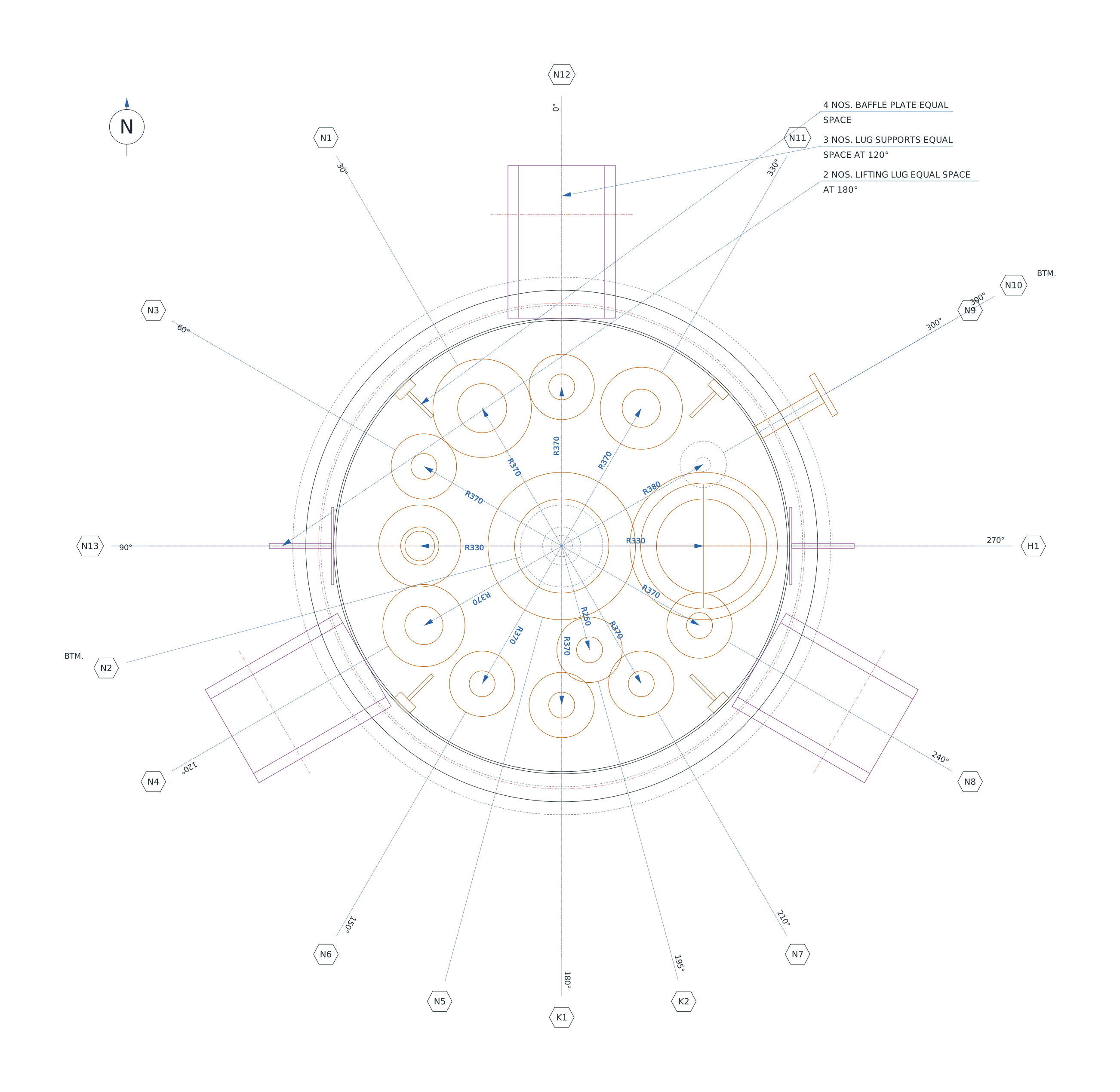
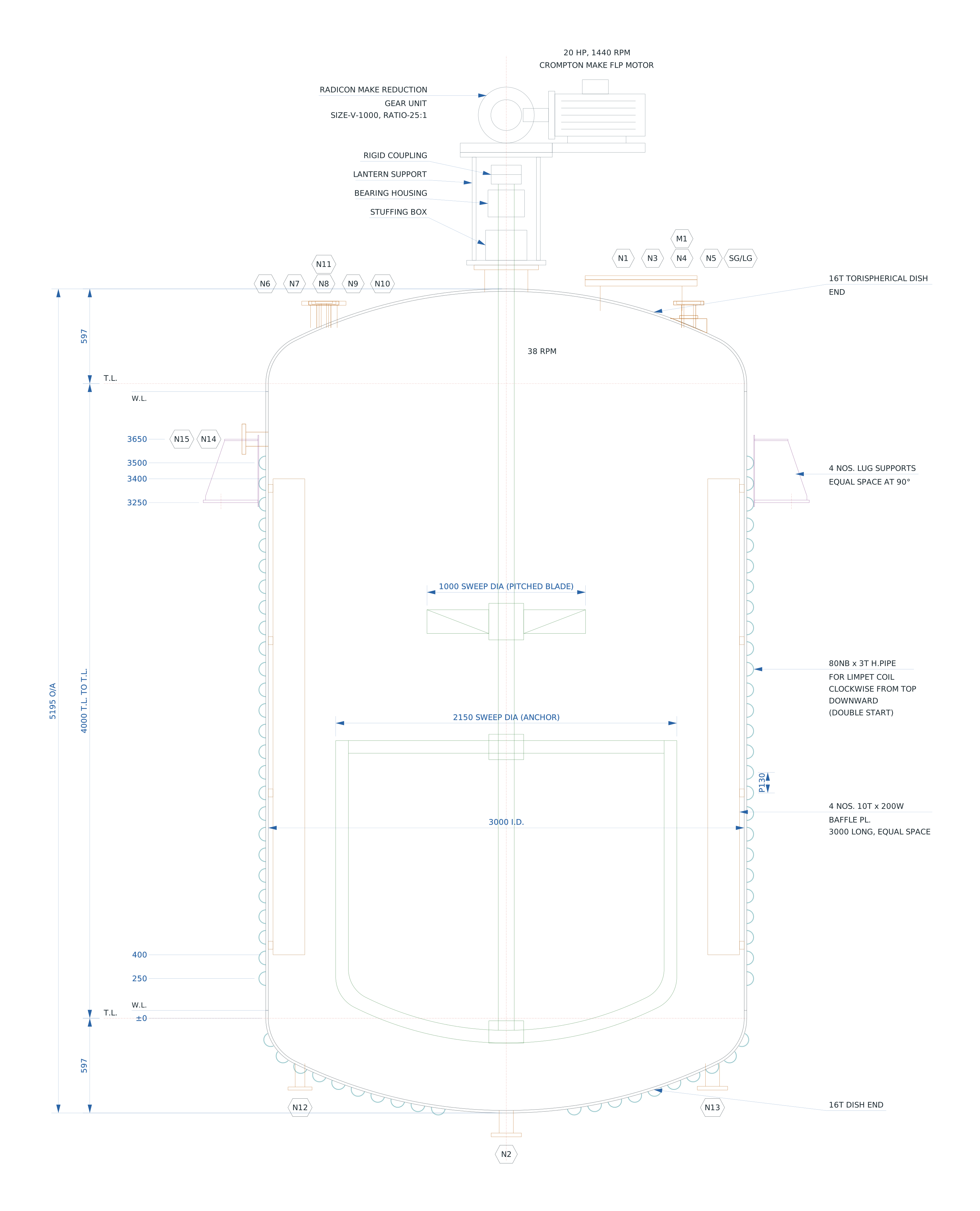
Type the shell, ends, heating, agitator and nozzle schedule. AutoClave draws the sectional elevation, orientation plan and nozzle table as you go — then hands you a clean, layered DXF for AutoCAD.

One-time code to your inbox — no passwords. Accounts are approved by CADDEZ.

Sectional elevation of a 3000 ID limpet-coil reactor generated by AutoClave, with agitator drive, baffles, lugs, nozzle balloons and elevation dimensionsSECTIONAL ELEVATION · SHEET 1
2 sheetsElevation + orientation plan, A3 frames, title block
LiveEvery input redraws both sheets
DXF R1213 named layers, opens in any AutoCAD
5 endsTori, F&D, 2:1 ellip., flat, toriconical

Everything a specification sketch needs

Built from real fabricator GA sketches and consultant mechanical datasheets, so the output looks like the drawings your customers already approve.

Nozzles

Nozzle schedule, live

Top, shell, bottom and jacket nozzles, manholes, handholes, PAD and sight glasses. Change a location and watch it move on both sheets.

Heating

Jacket or limpet coil

Jacket with closure and bottom head, or half-pipe limpet coil at any pitch, single or double start, carried onto the bottom dish.

Agitation

Agitator & drive

Anchor that follows the dish, pitched blade, flat blade or Rushton, with gearbox, motor, lantern and seal — or dashed when supplied by others.

Shell

Ends, flanges, insulation

Torispherical, F&D, ellipsoidal, flat cover or 120° toriconical; bolted body flange; insulation; baffles; lugs, legs and lifting lugs.

Dimensions

Dimensioned for checking

T.L. to T.L., dish depths, overall height, shell I.D., elevations of everything on the shell, and radii of every dish attachment on the plan.

Output

Datasheet blocks & DXF

Design data, volumes, nozzle connection list, general notes and nozzle table, exported as a layered DXF with your title block.
How it works

No templates to maintain, no blocks to explode. The drawing is generated from the inputs every time.

  1. Start from a sample or your last jobDrawings are saved to your account and open on any computer.
  2. Fill in the datasheetShell, ends, heating, agitator, supports, nozzles and design data.
  3. Check both sheets as you typeThe nozzle you're editing lights up on the elevation and the plan.
  4. Export DXFHand it to the drafting team, or send it straight for approval.
Orientation plan generated by AutoClave showing nozzle angles, radius dimensions, lugs and baffles

One plan. Everything included.

AutoClave is sold as an annual subscription per engineer. We'd rather show you than sell you — so every account starts with a walkthrough on one of your own vessels.

AutoClave Pro

Annual

Per user, single seat · price on request

  • All vessel types, ends, heating and agitator options
  • Unlimited drawings and DXF exports
  • Drawings saved to your account
  • Updates and new features through the year
  • Email support from the people who built it
Request access

1. Sign in and request access. Use your work email; tell us your name and company.

2. See it on your own vessel. Send a datasheet and we'll draw it with you on a call.

3. Subscribe. Pay by bank transfer against a GST invoice; your account is switched on for twelve months.

Questions? info@caddez.com